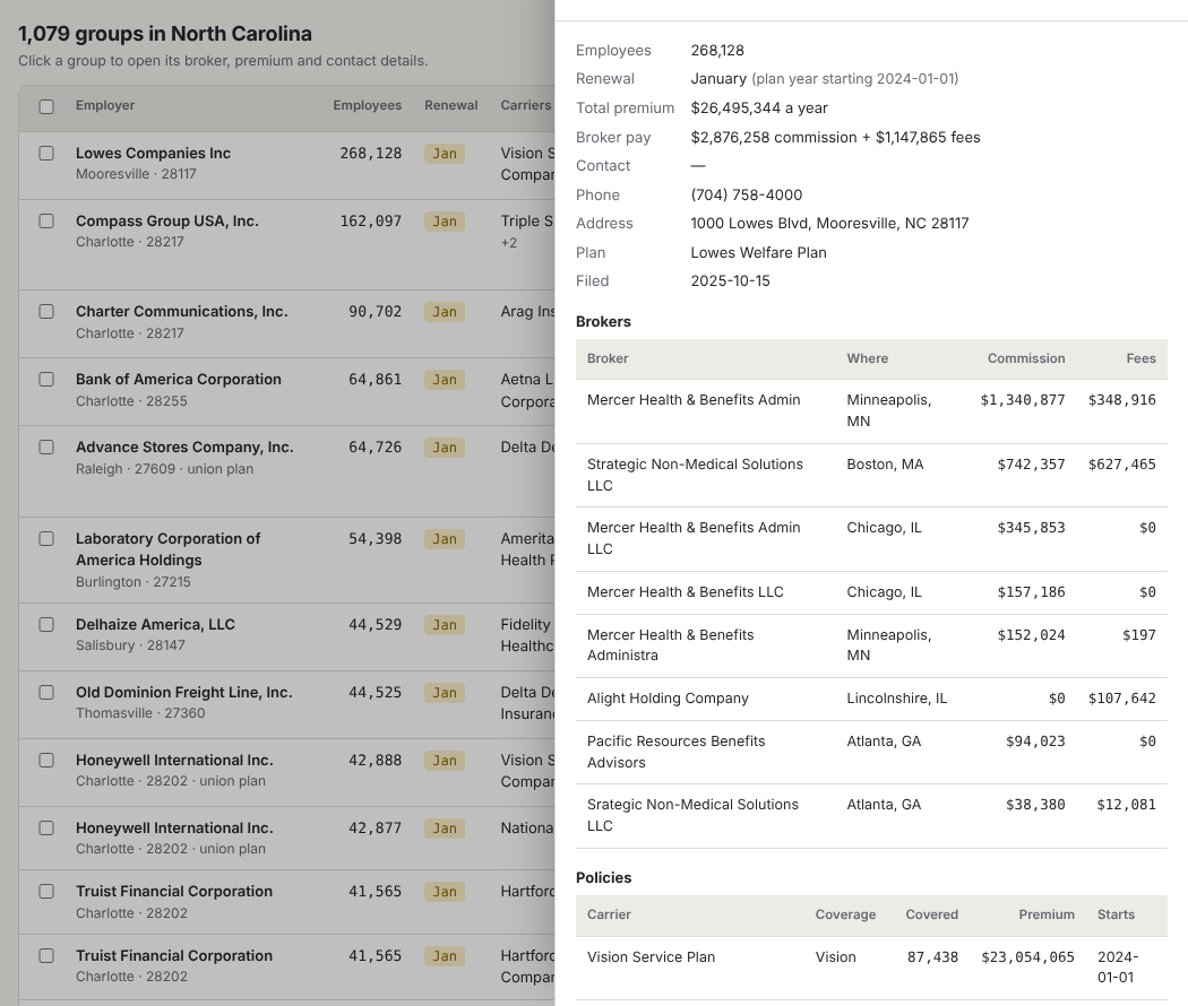
Your next 90 days of renewals, in one search.
No exporting filings, no matching schedules by hand, no guessing who the broker is.
Pick your market
Choose a state, then narrow by city or ZIP, number of employees, coverage and the months you want to prospect.
See who's renewing
Every match shows the employer, size, renewal month and current carriers. Filter by a carrier you place well with, or a competing broker.
Open, download, reach out
Open a group for its premium, broker, commission and contact, download your list as a spreadsheet, or send it to EB Lead Machine.
Renewal month
The month the group's main medical policy starts, from its Schedule A. It repeats every year, so you can plan outreach 90 days ahead.
Current broker and pay
Who the carrier paid for the account and how much: commission and fees, as reported on the filing.
Who to call
The person who signed the filing and the plan's phone number, so the first call reaches someone who knows the benefits.
Built for prospecting, not research.
- Every carrier on the planMedical, dental, vision, life, disability and stop-loss, with premium and people covered for each.
- Filter by competing brokerFind every group a particular agency holds in your state.
- Spreadsheet downloadOne row per group with carriers, premium, brokers, pay and contact. Opens in Excel or your CRM.
- Send to EB Lead MachinePro sends groups straight into your Lead Machine workspace, with renewal month and broker attached.
- Opened groups stay freeA group counts once a month on Starter, however often you open or download it.
- Public data, plainly sourcedEverything comes from Form 5500 and Schedule A filings with the Department of Labor.
Simple pricing. Seven days free.
Card required to start the trial. Cancel before day 7 and you won't be charged.
Starter
- One state each month
- Unlimited searching
- Spreadsheet download
Pro MOST BROKERS
- Every state
- Send to EB Lead Machine
- Everything in Starter
Agencies
- Seats for your whole team
- Bundle with EB Lead Machine and our broker tools
- One invoice
Email renewals@ebcatalystgroup.com
Searching is free on both plans. A group counts the first time you open its details or download it in a month; opening it again is free. Counts reset on the 1st (Eastern time).
Already subscribed? Sign in
Questions brokers ask
Where does the data come from?
From the Form 5500 and Schedule A filings employers file each year with the U.S. Department of Labor, which the Department publishes. Schedule A lists each insurance contract: carrier, coverage, people covered, premium and what the carrier paid brokers.
Which groups are included?
Employers whose welfare plan files a Form 5500 with at least one Schedule A for insured benefits. That's mostly groups with 100 or more participants. Most smaller fully insured groups don't file, so they aren't here.
How current is it?
A filing reports the plan year that ended before it was filed, and employers can file up to about nine and a half months after the plan year ends. So the newest details are usually a year or so old. The renewal month stays useful because it repeats every year, and brokers and carriers change less often than you'd think.
What counts toward Starter's 500 groups?
Opening a group's details or downloading it, the first time each month. Searching and seeing the employer, size, renewal month and carriers is always free. Starter covers one state a month: the state of the first group you open.
How does Send to Lead Machine work?
On Pro, pick groups and a workspace. Lead Machine matches you by your email, so you'll see the workspaces you belong to. Each group arrives with its renewal month, current broker and the person who signed the filing; groups already there are skipped.
Can I cancel any time?
Yes, from Manage billing in the app. You keep access to the end of the month you've paid for. See the refund policy.